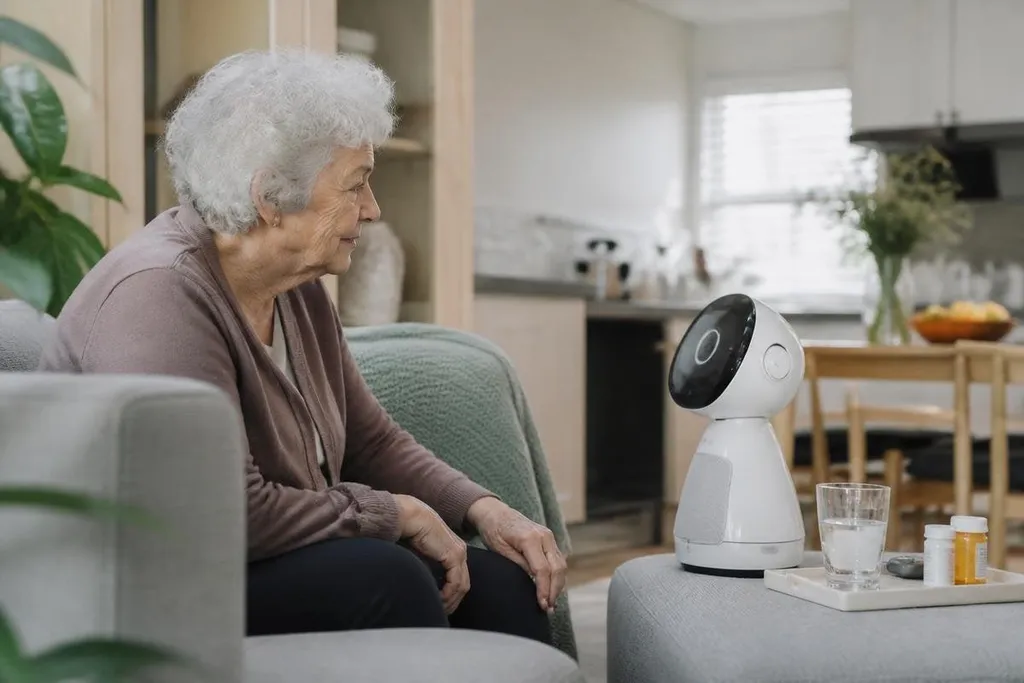
A companion robot may remind someone about medicine, start a video call, or answer a short question. It may also collect data inside a private home, give a wrong answer, or create a bond that the product cannot return.
If you’re comparing one for an older relative, a child, or someone who lives alone, the useful question is simple: what task will the robot do, and what happens when it gets that task wrong?
- Reminders and scheduled calls can support daily routines.
- Cameras, microphones, and cloud services can create privacy risks.
- A robot can add contact, but it can’t replace care from another person.
What companion robots actually do
Companion robots vary widely. Some use a screen, speaker, microphone, and camera to support calls or conversation. Others move around a room, respond to voice commands, play music, show alerts, or connect with a phone app.
Those parts matter because the benefit comes from a specific action. A reminder may help someone follow a routine. A video call may make it easier for a family member to check in. A mobile robot may let a person speak with someone in another room without reaching for a phone.
The robot’s autonomy also changes the task. A stationary unit needs a person to stay near it. A mobile unit may drive between rooms, but it needs sensors, a clear route, and enough battery for the job. If it cannot reach the right place, its extra hardware has little value.
Where the benefits are real
A robot can make contact easier when the person using it has trouble with a phone, tablet, or computer. Voice control removes some steps, while a large screen can make a call easier to see. The result depends on setup, lighting, network access, and the person’s ability to hear and respond.
Routine support is another practical use. A robot can play a sound at a set time, show a message, or send an alert to a caregiver. That can help with meals, appointments, or check-ins. It does not prove that the person completed the task, unless the product has a separate way to confirm it.
Some people may also enjoy talking to a robot, tending to it, or using it for games and music. That experience can feel useful even when the robot has no human feelings. The limit matters: a programmed reply is still a programmed reply.
That limit makes Robot24.com’s coverage of companion robots useful when you check what a product records and how it responds after a mistake. Those details matter before a robot enters a living space.
The risks inside the home
Privacy comes first. A robot with a camera or microphone may record information about rooms, routines, visitors, and conversations. You need to know when those sensors are active, where recordings go, how long the company keeps them, and who can view them.
Security affects the same hardware. A weak account password, an old app, or an unsupported robot can expose video, audio, or contact details. A product that depends on a remote server may also lose functions when the internet or the company’s service goes down.
Safety needs a physical check. A moving robot can block a narrow route, pull a cable, or distract someone near stairs. A robot that gives health or medication reminders may also cause harm if its schedule is wrong or its speech is hard to understand.
Emotional reliance deserves equal care. A person may treat a responsive robot as a friend, especially when they have few social contacts. Families should describe the robot clearly and keep regular human contact in place. The robot can add a link to other people; it shouldn’t become the only link.
What to check before buying
Use this checklist before you compare models. Each answer should come from the manual, the seller, or a live demonstration.
- Name the task: Write down the one routine the robot must support every day.
- Check the sensors: List every camera, microphone, location sensor, and motion sensor.
- Test the fallback: Find out what still works when Wi-Fi or the company’s server is unavailable.
- Measure the route: Check door widths, floor changes, charging access, and cable locations.
- Read the care plan: Confirm who will update the robot, fix faults, and answer alerts.
- Set a review date: Recheck the robot after 30 days and remove features nobody uses.
I’d skip a companion robot if the buyer cannot name a daily task and a person who will maintain it. The hardware matters less than that plan.
The best next step is a short trial in the real home, with privacy settings checked before the first call or reminder. If the robot fails that test, its price is already too high.